Five People, Forty Logins. The Weekly Work That Separates a Good Setup From a Barely Adequate One
title:Five People, Forty Logins. The Weekly Work That Separates a Good Setup From a Barely Adequate Oneauthor:Lionel Karstenspublished:2026-01-08section:Innovationwords:974read:4 min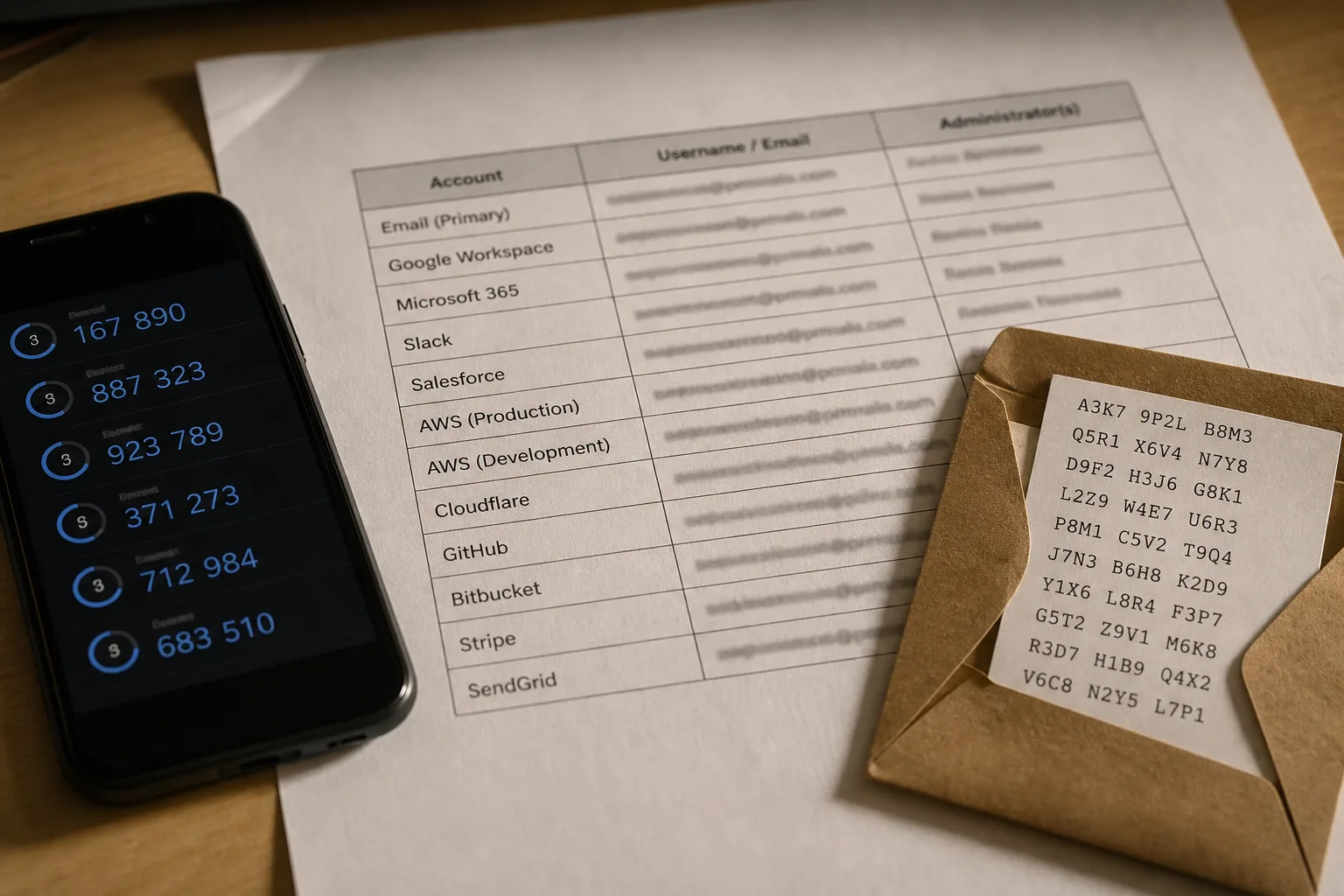
A password setup is judged by its recovery paths and its offboarding, not by how strong the passwords look on the day it is installed.
Installing a password manager takes an afternoon. Keeping one honest takes about twenty minutes a month, and that is the part that gets skipped. I have walked into small offices where every employee has the app on their phone, every vault has a hundred entries, and the whole arrangement is still one lost phone away from a very bad week. The passwords were fine. The recovery paths were never built, the shared logins were never sorted out, and two people who left in the spring still had access in the fall.
The difference between a good job and a barely adequate one is not password strength. It has not been password strength for years. It is whether anyone can get back in when something breaks, and whether anyone can be shut out when they leave.
The account that everything else hangs off
Work backward from a reset. Almost every login in a household or a five-person office funnels through one email address. Lose that inbox and the rest goes with it, because the reset link lands there. Which means the email account is not one of forty accounts. It is the account, and it deserves treatment nothing else gets: its own long unique password, a second factor that is not a text message, and printed backup codes stored somewhere physical.
The second factor matters more than people expect. Text message codes travel over a phone number, and a phone number can be moved to a new carrier by someone who talks their way past a service rep. An app-based code or a hardware key does not have that weakness. The National Institute of Standards and Technology is responsible for the federal digital identity guidance that shaped how the industry now thinks about authentication, and the direction of travel there has been consistent: stop leaning on the phone network, stop forcing arbitrary rotation, put the effort into unique credentials and a real second factor.
The barely adequate version does the first part and stops. Long unique password on the email, no second factor, no backup codes, recovery address pointing at an old account nobody checks. It looks identical to the good version from the outside. It fails the moment anything goes wrong.
What the barely adequate version looks like on a Tuesday
Here is the ordinary shape of it. Somebody needs the login for the shipping account. It is not in the shared vault because it was set up three years ago by whoever handled shipping then. So it gets texted. Then it gets saved in someone's notes app. Then a fourth person asks, and by the end of the month the credential exists in five places, none of them the vault, and nobody knows which copy is current.
Nothing has been breached. But the setup has quietly stopped being a system and gone back to being a habit. That drift is the actual failure mode in most small operations, not an attacker guessing anything. Credentials leak sideways, into text threads and desk drawers and personal accounts, and no one notices because nothing has gone wrong yet.
A good job builds one rule to stop the drift: if a credential is not in the vault, it does not exist. Somebody asks for a login, the answer is a share from the vault or nothing. It sounds rigid. It takes about two weeks to become normal and it removes most of the copies.
The cadence that keeps it standing
None of this needs a calendar full of security chores. It needs a short list of things that happen on a known rhythm, and someone whose name is next to it.
| Task | How often | What it catches |
|---|---|---|
| Check the vault's breach or reused-password report | Monthly | Reused credentials, exposed accounts, weak leftovers |
| Confirm recovery email and phone on the main inbox | Quarterly | Reset links going to an account nobody reads |
| Verify backup codes are where you think they are | Quarterly | The lost-phone scenario |
| Review who has access to shared logins | Quarterly | Former staff, former contractors, old vendors |
| Rotate credentials for anyone who leaves | Same week they leave | Access that outlives employment |
Note what is absent. There is no line for changing everyone's password every ninety days. That practice pushed people toward predictable patterns and small increments, and it was dropped from mainstream guidance for exactly that reason. Change a password when there is a reason: a breach notice, a departure, a credential that turned up somewhere it should not be.
Offboarding is the test nobody proctors
The week someone leaves is when you find out whether the job was done properly. In a good setup, the answer is a short list, because access was granted through the vault and through named accounts. You remove them from the vault, rotate anything they personally knew, and check the two or three services that were never in the vault to begin with: the payment processor, the domain registrar, the payroll portal.
In a barely adequate setup, nobody can produce the list. There is no record of what they had, because half of it was shared by text. So either you rotate everything, which takes days, or you rotate nothing, which is what usually happens. The credential sits there working perfectly for years.
The fix is unglamorous and it costs one document. Write down which services exist, who administers each one, and where the recovery for each one points. Keep it current when things change. That single page turns offboarding from an investigation into a task, and it turns a lost phone from a crisis into an afternoon.
A setup that holds up is one where any competent person could sit down with your list, open the vault, and get an account back without calling you. Build to that standard and the week-to-week work shrinks to almost nothing, which is the point.